
If you have paid and the exit barrier stays down, stop at the line and use the intercom or the help number shown at the exit. Keep your receipt, ticket or payment reference ready. Ask the operator to check the payment against your current visit before you pay again. If the exit message asks you to move to an assistance lane, follow the site’s instructions.
Payment and exit happen in several steps. The provider confirms the payment, the parking system matches it to a visit, and the exit decides whether that vehicle may leave. Then the controller has to operate the barrier. The first step that did not complete tells the operator what to fix.
What does a payment confirmation tell you?
A card or banking app may show a pending authorisation. This usually means the amount has been reserved while the transaction is processed. A payment receipt from the operator’s app, kiosk or checkout gives staff a reference they can check. The operator can use its payment records to confirm whether that transaction succeeded, remains pending, or has since been reversed.
A successful payment still has to reach the right parking order. A parking session is the record of a particular visit, usually linked to an entry ticket, a plate read or a booking. The payment reference identifies the transaction. The exit permission tells the lane whether the current session may leave, taking into account the fee and the site’s exit rules. A driver can have a valid payment reference while the current session still shows an outstanding fee.
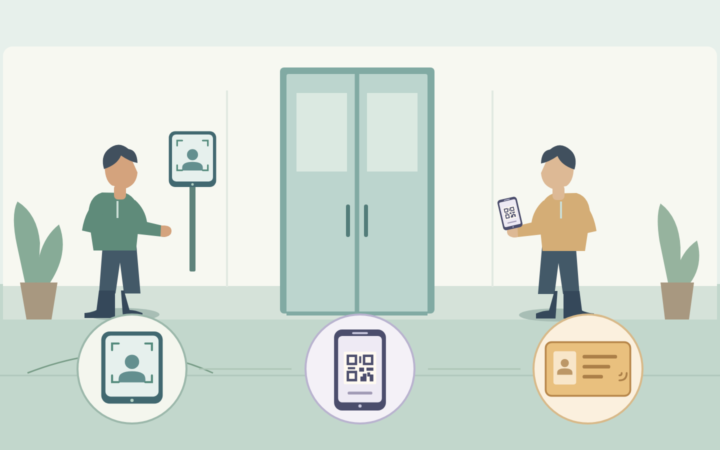
Financial settlement is a later accounting step in many systems. For an exit decision, use the payment status that the operator’s system is designed to accept and verify that the amount belongs to the current session. The normal QR payment and exit sequence shows how recognition, payment and opening fit together when each step works.
Which order should the driver and operator check?
- Parking site. Check the operator, location or zone shown on the receipt. Nearby car parks can have similar names.
- Current visit. Match the entry ticket, booking or parking order. A second visit on the same day may have a separate session.
- Vehicle identifier. Compare the registration used to pay with the vehicle at the exit and the entry record. If the camera read is unclear, use the site’s process for a missing or unreadable plate.
- Transaction. Check the payment reference, time, amount and status. Include the currency where the system handles more than one.
- Time allowed to exit. Check whether the site gives drivers a period to leave after payment. A long delay can affect the balance at exit, depending on the posted terms.
Suppose a driver paid for a morning visit, then returned in the afternoon. The plate and the fee on the receipt might look right. The entry time and session reference reveal whether the payment belongs to the current visit. For a registration typo or an unclear read, check the entry evidence and payment reference before linking the transaction to a corrected session. Keep a record of the correction.
At the intercom, give the site, your ticket or order reference, the approximate payment time and the amount. Share the registration if staff need it for the match. Keep card numbers, security codes and banking passwords private.

Where did the exit process stop?
Start with the first missing confirmation and follow the records forward. The driver’s receipt, the parking screen and the barrier controller can each show a different stage of the same incident.
| What you see | What to verify | Next step |
|---|---|---|
| Payment status unclear | Provider status and transaction reference | Check the original transaction. |
| Payment confirmed, visit unpaid | Order match and confirmation received | Check the link and apply the approved correction. |
| Visit paid, exit refused | Current session and exit rules | Check the exit time and any balance. |
| Exit allowed, no controller response | Correct lane and command receipt | Trace the command to the controller. |
| Command received, arm stays down | Controller state, detection and gate feedback | Arrange safe assistance and service. |
If the provider confirms success but the visit still shows unpaid, compare the original order and the provider reference. A payment notification is the message a provider sends to the parking platform when the status changes. A delay, an unmatched reference or a failed update can leave the two screens out of step. Check the provider record and the parking system’s receipt or processing log. Apply each confirmed transaction once and handle later exit attempts using the existing payment state.
If the current visit is paid, check whether the exit selected that visit and whether it is eligible to leave. A different ticket, a duplicate session, an expired exit period or an outstanding balance can explain the refusal. Confirm the reason before requesting another payment.
If the exit is authorised, find the command for that lane. A log entry showing a command was sent tells you to check what the controller received next. The controller’s accepted command and the barrier’s actual open position are separate observations. Depending on the installation, a safety input, a vehicle detector, the controller state or a mechanical fault can prevent movement. Have authorised staff check the lane and follow the equipment procedure. The integration guide for lane commands and feedback explains which signals to confirm with the installer.
How can staff help the vehicle leave?
Verify the vehicle, visit and payment evidence available at the time. If the original payment is confirmed and belongs to the visit, use the site’s approved correction or assisted-exit procedure. If the payment remains unresolved, follow the operator’s exception policy. A permitted assisted exit can keep the lane moving while the payment case stays open for review.
Only authorised staff should release the vehicle, after confirming the lane is safe. Use the normal assisted control or direct the driver to the designated alternative exit if the equipment cannot operate safely. Tell the driver what will happen next and give a case reference if a payment check is still needed.
Record the session or ticket, payment reference and status, reason for assistance, lane, time and operator. Record both the opening action and whether the vehicle actually left. A barrier can open without the vehicle passing. If departure is uncertain, keep that outcome open for review.

What should be reconciled after the exit?
Compare the payment provider’s transaction, the parking session or order, and the actual exit or assistance record. Use the transaction and session references first, then check the amount, time, lane and status to resolve differences.
- One confirmed payment and one completed visit. Close the incident once the transaction and the departure are linked. Keep the assistance record with the visit.
- Two payment references for the same visit. Verify the final status of both before treating them as two charges. If a duplicate charge is confirmed, follow the operator’s refund procedure and record the refund reference against the original transaction.
- Confirmation arrives after assisted exit. Apply it to the existing visit and incident. Check the departure record before issuing any further exit permission.
- Payment or departure is unresolved. Keep the case assigned for follow-up. Agree how to tell the customer the outcome and record the final payment and exit statuses separately.
If you paid again while waiting, keep both references and ask the operator to review them together. The provider can distinguish two completed payments from a completed payment plus a temporary authorisation. The operator can check which amount belongs to the visit and whether a correction or refund is due under its process.
How can an operator prevent repeat incidents?
During commissioning, trace one normal exit from payment to actual passage. Then check a delayed confirmation, a duplicate notification, an order linked to the wrong visit, and a controller that receives a command while the barrier stays down. Agree what each screen should show, who can help the driver and which records staff use afterwards.
If you are comparing ticketing and payment terminals, share the payment provider, parking software, vehicle or ticket identifier, controller and the records your team needs for assisted exits. Ask the suppliers to agree how the system confirms payment, matches it to the visit and reports the lane outcome.
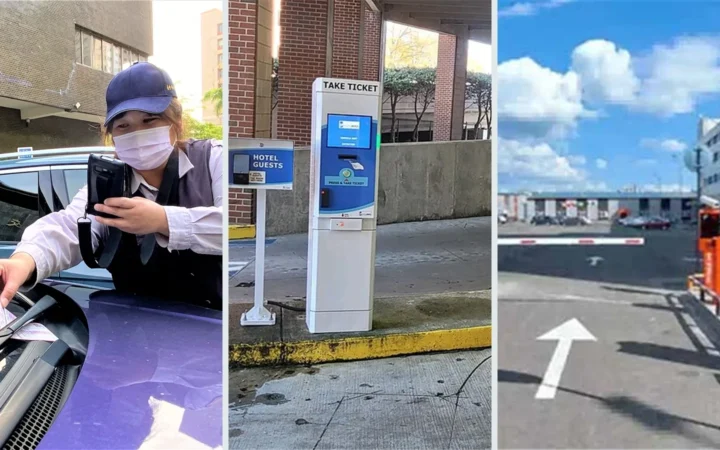
Featured image: A payment may be confirmed while the barrier remains closed. Check the parking order, exit decision and gate response to locate the interruption.