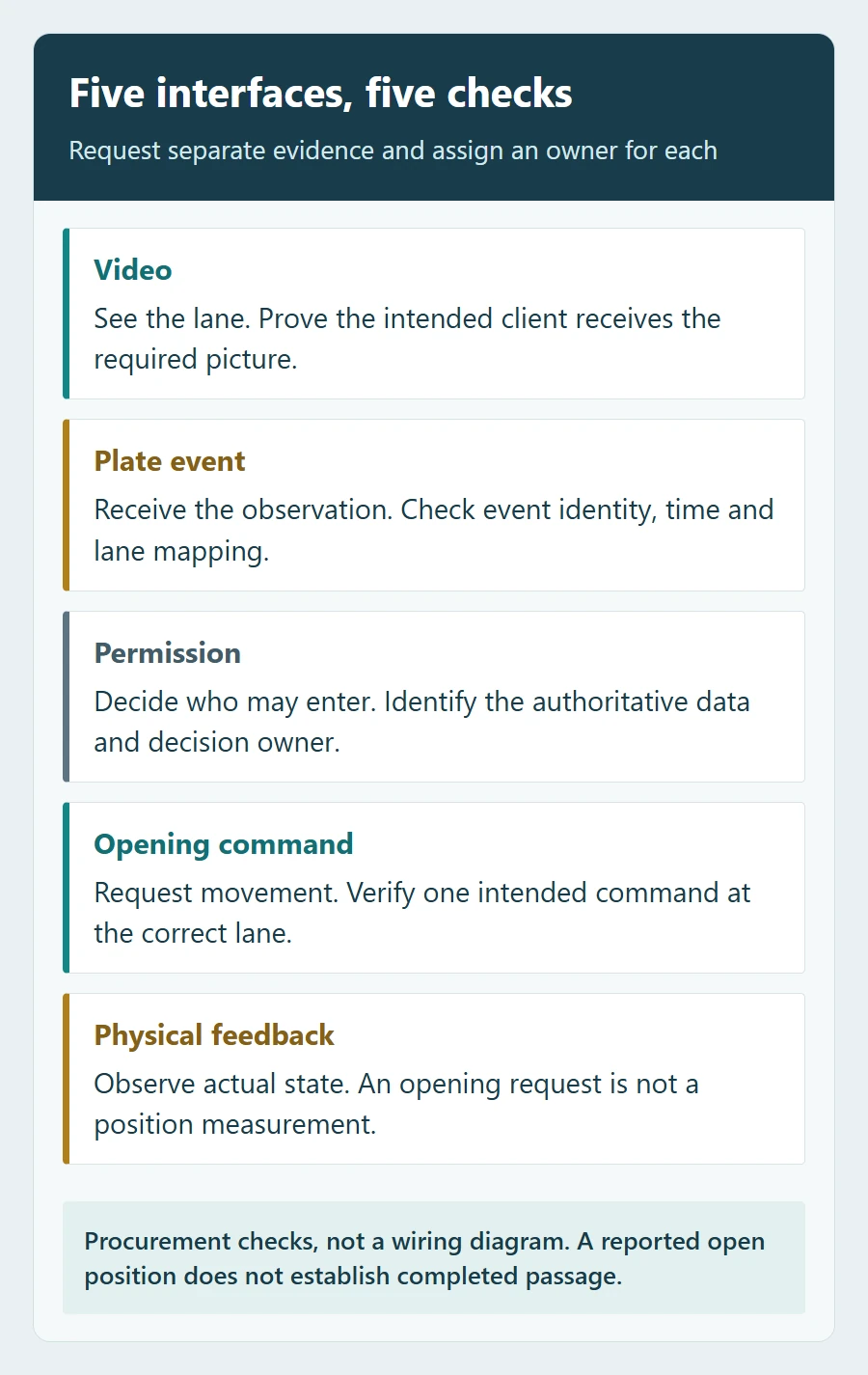
Before ordering an ANPR camera for an existing barrier and parking platform, verify five separate interfaces: video, plate events, access permissions, opening commands and physical feedback. A live picture or a successful API response does not prove that the right vehicle will be admitted, that a repeated event will be handled once, or that the barrier actually opened.
The useful deliverable is a short interface agreement backed by sample messages, the exact hardware and software versions, and a witnessed test. This guide helps system integrators and project buyers prepare that agreement before equipment arrives. If you first need an overview of the devices involved, see our LPR parking system component guide.
1. Separate the five interfaces in your quotation
Ask each supplier to complete the following matrix for the proposed configuration. Assign a named company or team to each responsibility; “the system supports integration” leaves too much unresolved. The examples below are procurement requirements, not a list of functions included in every camera.
| Interface | Evidence to request | Responsibility to assign | Acceptance question |
|---|---|---|---|
| Video and images | Supported stream or image interface, authentication, format and client requirements. | Camera supplier and receiving video client. | Can the intended client display the required lane view and retrieve the associated image? |
| Plate events | Versioned event specification, real redacted sample, field definitions and delivery behaviour. | Camera or recognition engine supplier and software integrator. | Does the application receive the plate result with the correct lane, time and event relationship? |
| Permissions and lists | Where access is decided; list read/write rules, validity periods, matching rules and synchronisation behaviour. | Owner of the authoritative permission data and the component enforcing it. | Do additions, expiry and revocation change access as agreed? |
| Opening command | Documented API or electrical interface, permitted commands, response meaning and controller requirements. | Decision-making component, integrator and barrier supplier. | Does one authorised decision issue the intended command to the correct lane? |
| Physical feedback | Documented position, fault or passage signals actually available, including their source and limitations. | Barrier or sensor supplier and receiving application. | Can the application distinguish a request from observed movement, and show an unknown state when feedback is unavailable? |
Keep the final two rows separate. A relay output may carry an opening request. It is not, by itself, a measurement of arm position. An arm-open indication also does not establish that the vehicle passed through; passage confirmation needs its own agreed evidence if the project requires it.
2. Decide which component is allowed to grant access
Two common arrangements place the decision in different locations. In an edge-led arrangement, a camera or local controller checks a stored permission list and requests opening. In a software-led arrangement, recognition data goes to the parking application, which evaluates the visit or permission and sends a command through a documented control path.
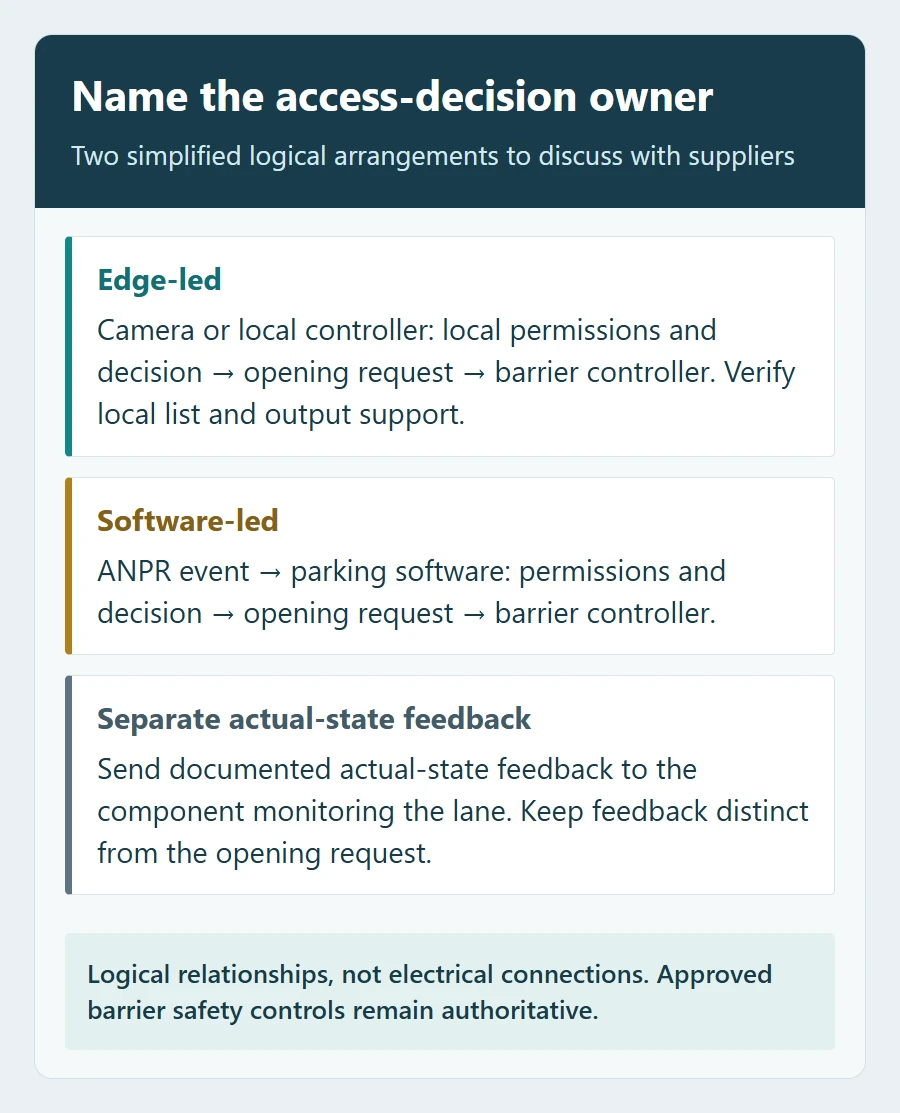
Choose the owner of each access decision explicitly. A hybrid design may be appropriate, but it needs a defined fallback and return-to-normal rule. Avoid two independent components issuing normal opening commands for the same vehicle without an agreed coordination method.
For a paid exit, for example, “plate is on a list” may not be the complete authorisation condition. The parking application may need to evaluate the associated session and payment state. Ask where that decision is made and how an operator override is recorded. Do not assume that a camera allowlist represents all business rules.
Put the intended behaviour during loss of the event receiver or decision service in the agreement: which component can still decide, which data it uses, and who authorises an exception. This is a dependency check for the chosen interfaces, not a reason to assume every device works independently offline.
3. Turn protocol names into a testable compatibility claim
“RTSP supported”, “ONVIF compatible”, “API available” and “SDK supplied” answer different questions. A working video preview or a general protocol label is insufficient evidence for the full access workflow. Request the actual services, messages and commands that the receiving software implements.
ONVIF should not be reduced to “video only”. Profile T includes metadata streaming and covers additional functions under defined conditions; Profile M addresses analytics metadata and events, including interfaces relevant to licence-plate recognition where the product supports that functionality. That still leaves the exact device, client and required features to verify. When a supplier claims ONVIF conformance, check the model and firmware or software version in the official ONVIF product database.
For a proprietary API or SDK, obtain a usable documentation version and a sample integration before treating the interface as included. Confirm the supported operating system, runtime and architecture, the authentication method, event subscription or callback setup, and who maintains the connector when either side changes.
Also price the right to use it. Ask whether the quoted scope includes the recognition application, event API, connector and required channel or device licences; whether activation needs an external service; and what happens after a trial expires or hardware is replaced. A development kit being downloadable does not settle production licensing.
4. Agree what a plate event means before writing the connector
Ask for an original redacted event from the proposed version, not only a screenshot of the camera overlay. A visible plate string gives no evidence that the application receives that string, knows which lane it belongs to, or can relate later updates to the same observation.
Your mapping sheet should answer these questions. The labels below describe information to discuss, not universal API field names.
- Identity: Is there a stable event or track identifier? What is its scope and lifetime across devices and restarts? How are repeat deliveries and updates linked to the original observation?
- Plate result: Is the value raw recognition, a corrected result or a permission match? What do empty values and any confidence score mean?
- Place and time: Which device and lane produced the event? What time zone or offset is used? Is the timestamp capture time or delivery time?
- Images: Is the image embedded, attached or retrieved separately? How long is it available, and what happens if retrieval fails?
- Lifecycle: Can one vehicle generate a first detection, revised result and departure event? Which event is eligible to request an access decision?
- Delivery: What does an acknowledgement confirm? What are the retry, ordering, buffering and reconnect rules?
If there is no stable identifier, require the integrator to propose and demonstrate a correlation method. Plate text alone is a weak event key: the same vehicle may return, two lanes may report it, and a recognition result may change. Any time window or matching rule needs testing against your actual traffic and documented event behaviour.
Separate historical records from live opening requests
Design the receiving application so that a repeated delivery cannot create another opening request for the same accepted decision. This is the practical purpose of idempotent handling. Acknowledging receipt, saving an event and authorising a vehicle are separate steps; the agreed response semantics should make failures traceable.
Buffered events need special attention. Plate Recognizer’s Stream configuration documentation warns that retrying failed webhooks can cause unintended gate operation when those webhooks control a gate. The procurement lesson is to agree how historical events are stored without treating them as fresh permission to open. Do not indiscriminately discard audit records to avoid that problem.
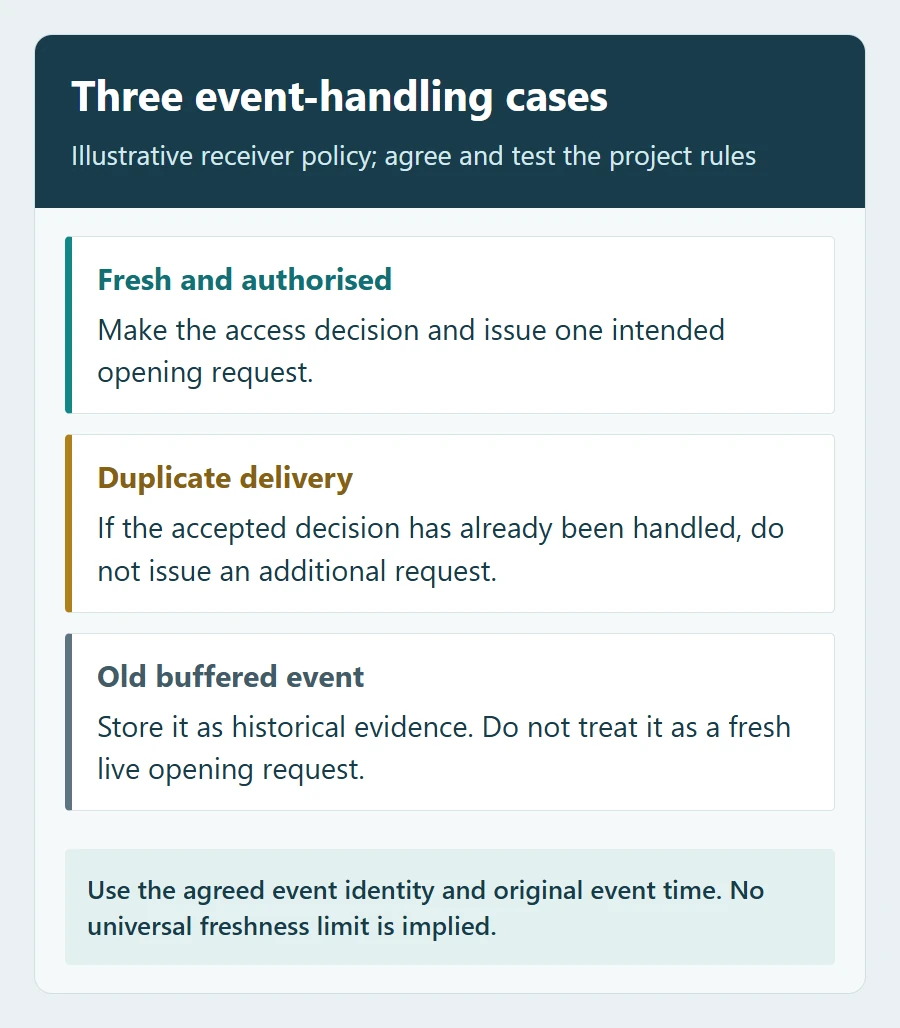
Define which timestamp and event identity control freshness, how missing or unreliable time is handled, and which component enforces the rule. The allowed age is a project decision, not a universal number. After reconnection, a vehicle may need a fresh observation or operator action rather than a replayed command.
5. Verify the command path and feedback without guessing the wiring
Obtain the wiring diagram for the actual camera output, interface module and barrier controller configuration. Have the responsible installer verify whether the controller expects a contact input or a powered signal, the permitted electrical ratings, command behaviour and any required isolation. A connector marked “I/O” does not establish electrical compatibility. Do not copy pulse lengths, voltage values or terminal assignments from a different model.
For network control, ask whether the response means received, accepted or physically completed. Then identify how actual state is reported, how old that state can be, and what the application displays when the connection is lost. If the hardware exposes no documented position feedback, record that limitation rather than drawing a “gate open” indicator from a command acknowledgement.
The barrier’s approved safety devices and control logic remain responsible for safe movement. An ANPR result or business permission is not an obstacle detector. Commission the interface using the manufacturer’s procedures and the site’s controlled test arrangements; do not bypass protection to make a demonstration pass.
6. Witness an interface test before approving the order
Use the proposed models, firmware, application and connector versions, with the agreed licences active. Start on a controlled bench or demonstration lane, then confirm site-dependent behaviour during commissioning. Save the event, decision, command and actual feedback against one test reference. Define timing targets and fault responses before the demonstration rather than choosing a pass threshold afterwards.
| Test | Behaviour to agree and demonstrate | Evidence to retain |
|---|---|---|
| Valid permission | A fresh eligible observation produces the intended decision and one command for the correct lane; physical feedback is evaluated separately. | Input event, permission version, decision, command and observed controller state. |
| Denied, expired or revoked permission | No normal automatic opening is requested; the agreed operator route remains available. | Changed permission, synchronisation result and resulting decision. |
| Duplicate or revised event | Repeated delivery does not repeat the same accepted action. A corrected result follows the agreed update rule. | Related event identities and the number of decisions and commands. |
| Receiver unavailable, then restored | Retries, backlog and recovery follow the contract; old records do not silently become fresh opening requests. | Original and delivery times, retry records and reconnect behaviour. |
| Component restart | After the agreed components restart, check permission persistence, reconnection and identifier-reset behaviour before repeating a valid and a duplicate-event test. | Restarted versions, current permission state, new event identities and resulting commands. |
| Command accepted but movement absent | The application distinguishes acknowledgement from actual state and invokes the agreed fault or assistance path. | Controller or approved simulator feedback; no disabled safety device. |
| Wrong lane or ambiguous direction | Events cannot inadvertently operate a neighbouring barrier; missing direction follows the chosen rule. | Device/lane mapping and both receiving logs and physical observations. |
| Integration account or licence failure | Loss of the required permission or licence is visible; the agreed controlled operating procedure applies. | Error response, alarm or log and recovery after valid access is restored. |
| Operator override | The authorised operator action is distinguishable from automatic access and does not corrupt the next normal transaction. | Operator reference, reason, command and subsequent normal test. |
Mark every required row as demonstrated, failed, excluded by agreement or still open, with an owner and a due date. A simulator can validate message handling; it cannot certify physical movement or safety. If equipment is already installed and a particular stage fails, use the LPR camera fault diagnosis guide to organise the symptom investigation.
What to send with your integration enquiry
Send a compact brief that lets the suppliers assess a real connection rather than answer a generic compatibility question:
- Camera, barrier and control-board models; hardware revision and firmware where known.
- Parking software and connector versions, deployment location, operating system and integration contact.
- A simple lane diagram, entry/exit mapping and the component intended to decide access.
- The required event sample and fields, list-management actions, command path and actual feedback signals.
- Network constraints, authentication requirements and intended behaviour when a dependency is unavailable.
- The responsibility matrix, test cases and the documentation, licences and support included in the quotation.
For a SHUNJIE equipment enquiry, use the ANPR camera page and provide this brief with your existing interface documents. Request written confirmation for the exact proposed model, version and integration scope. A useful purchasing decision rests on that evidence and the agreed test results, rather than a general promise that the equipment is “easy to integrate”.
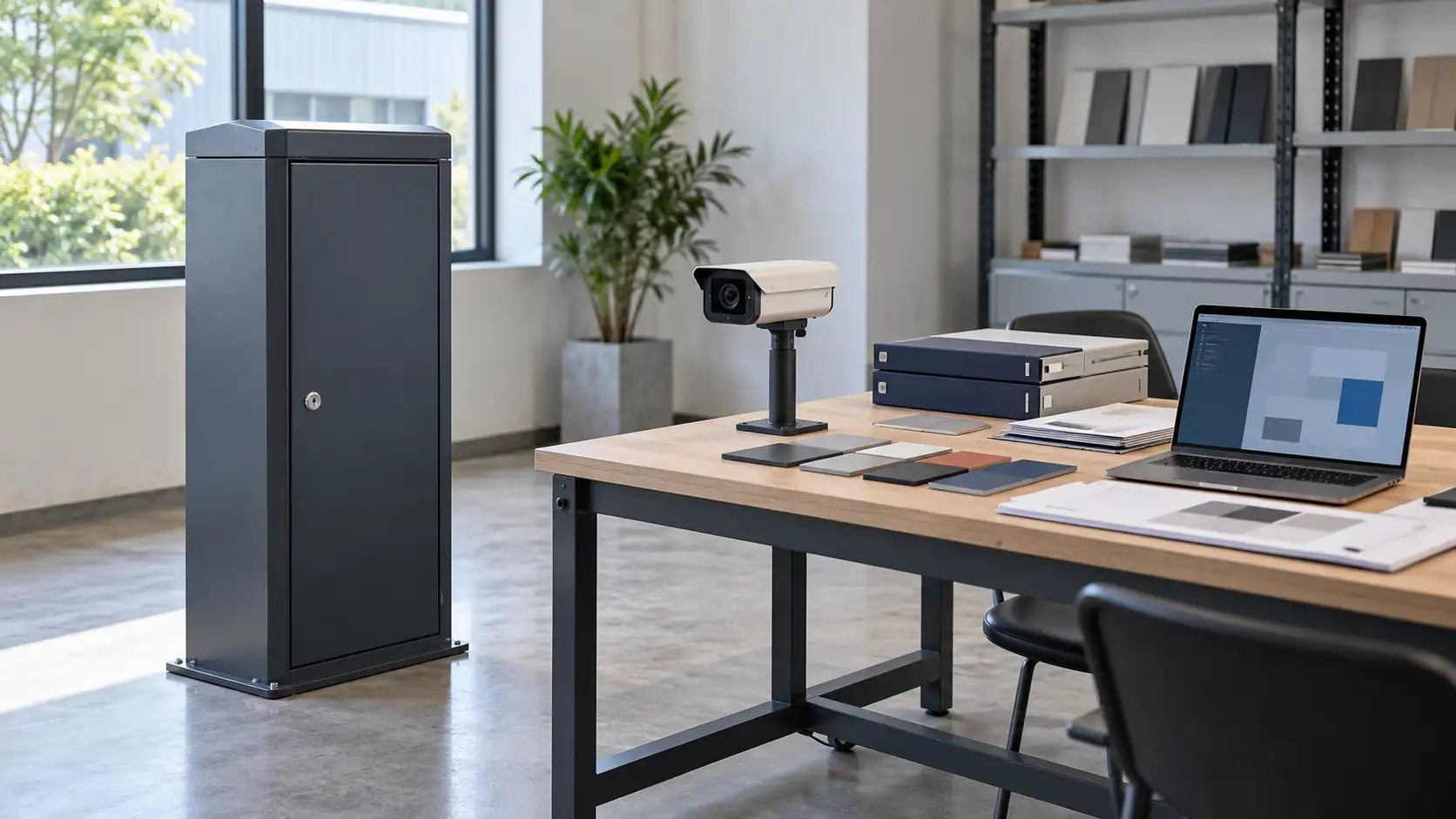
Featured image: AI-generated conceptual workbench with generic equipment. Not an actual SHUNJIE product configuration, wiring arrangement or completed integration.
Featured image: AI-generated conceptual workbench with generic equipment. Not an actual SHUNJIE product configuration, wiring arrangement or completed integration.