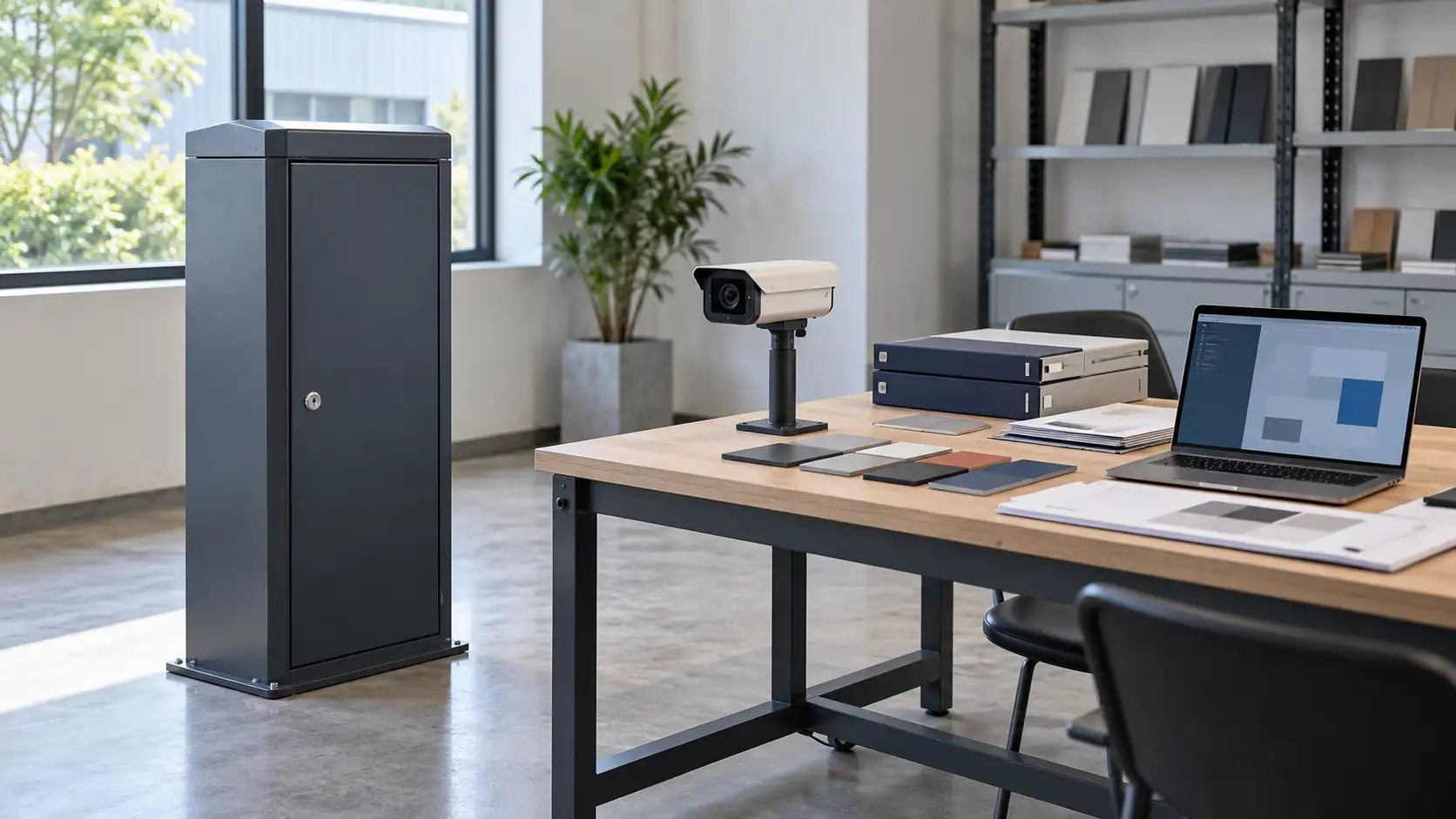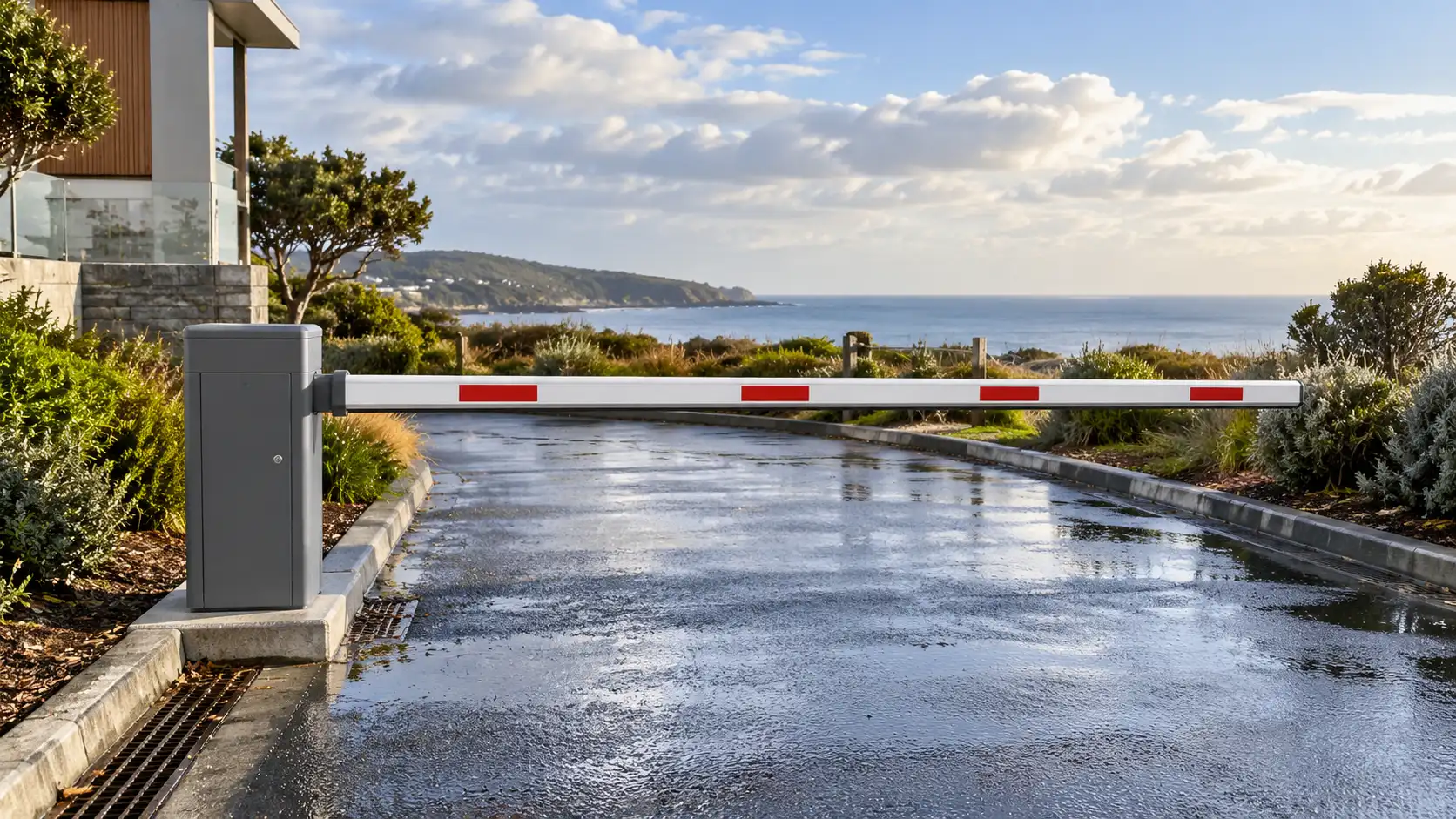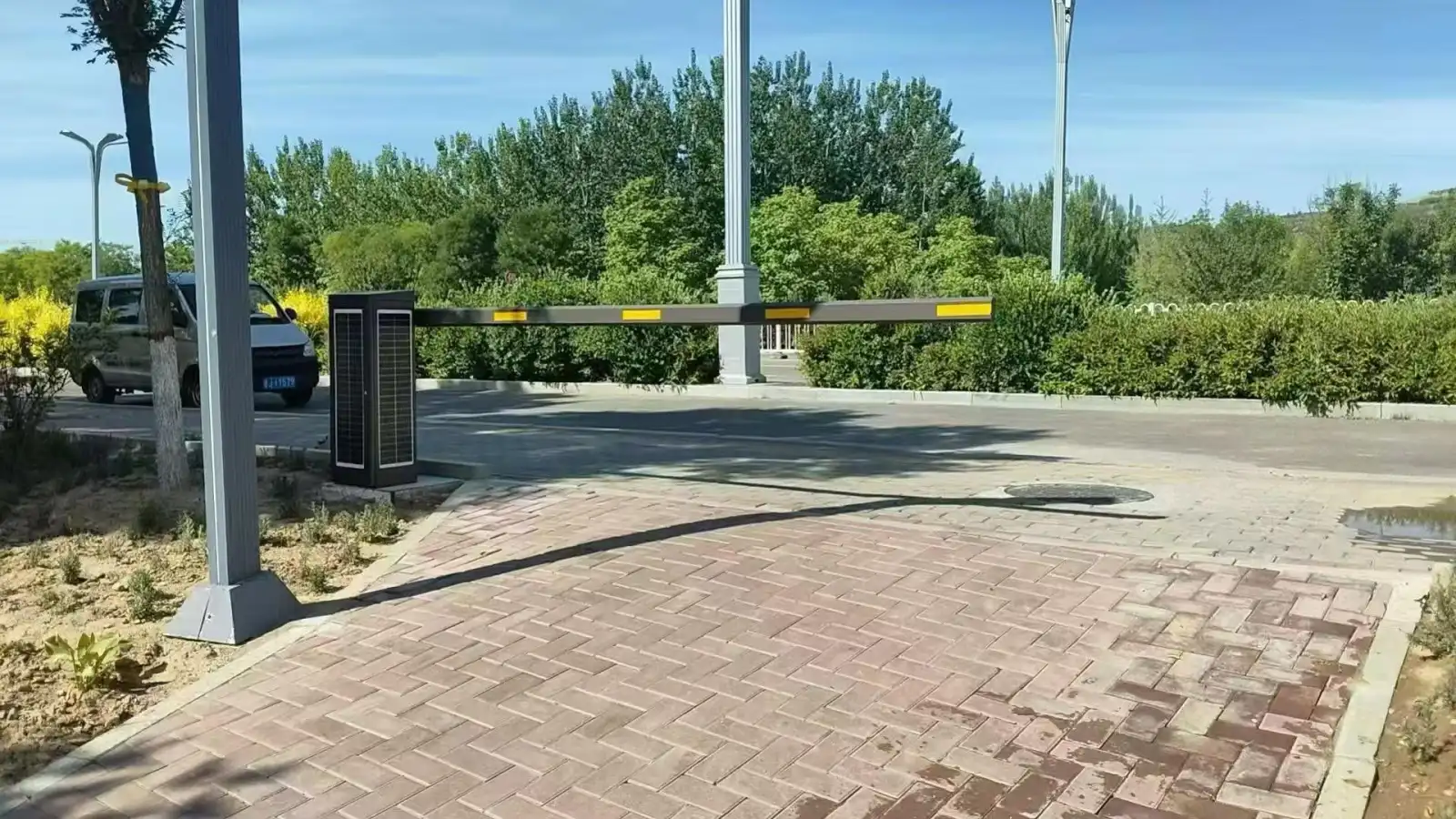
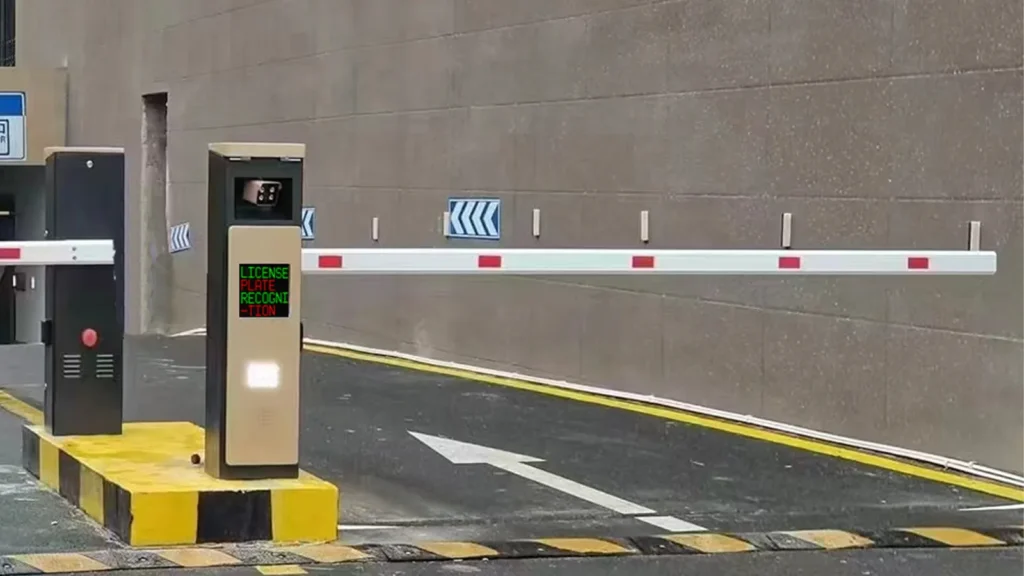
An LPR parking system is not just a camera at the gate. It is a coordinated access-control setup in which a detector senses the vehicle, the camera captures the plate, the software decides what should happen next, and the barrier gate carries out that decision. In most parking projects, stable performance depends on how well these parts work together, not on any single device alone.
For buyers, the practical question is simple: which components are essential, what does each one do, and where should you avoid cutting corners? This guide answers those questions in plain language so property managers, integrators, and parking operators can evaluate an LPR solution more confidently.
What Is an LPR Parking System?
LPR stands for License Plate Recognition. In parking management, it means a system uses cameras and OCR-based recognition to read a vehicle’s plate at entry or exit, then turns that plate number into a usable digital credential for access control, parking sessions, payment checks, reporting, or enforcement. Many suppliers also use ANPR or ALPR for the same core workflow.
Compared with traditional ticket or card parking, LPR reduces reliance on physical media. Instead of printing a ticket or requiring a driver to scan a card, the system records the vehicle plate, checks rules in software, and logs the event automatically. That is why LPR is widely used in gated car parks, residential communities, office parks, hotels, hospitals, and mixed-use sites.
How an LPR Parking System Works
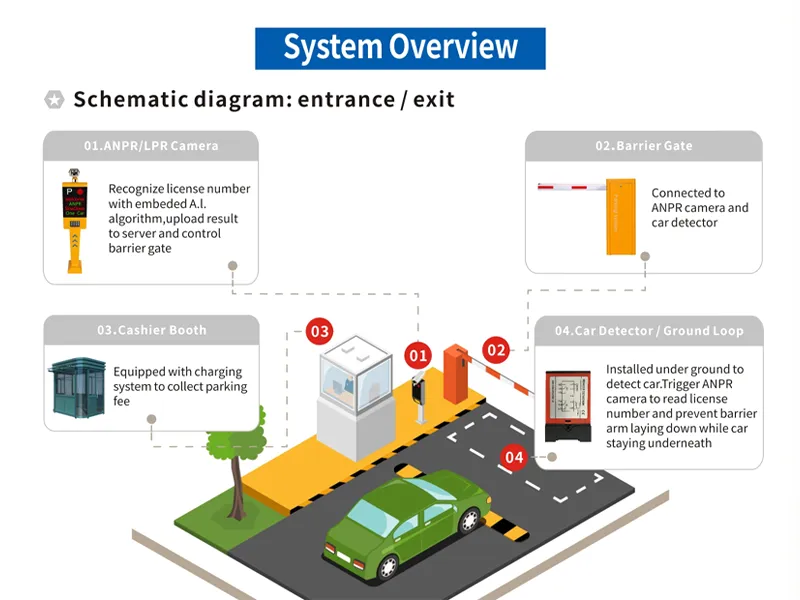
At lane level, the workflow is straightforward: detect the vehicle, capture the plate, verify the rule, and open or deny the lane. The software also stores the entry and exit data so operators can manage permissions, parking records, and fee logic later.
Table 1. LPR parking system workflow at a glance
| Step | Main component | What happens |
|---|---|---|
| 1 | Loop detector / vehicle detector | Detects a vehicle in the lane and triggers the next action |
| 2 | LPR camera | Captures the license plate image at the right moment |
| 3 | Recognition software | Reads the plate and matches it with rules, permissions, or payment status |
| 4 | Barrier gate | Opens for approved vehicles or stays closed when access is not allowed |
| 5 | Parking management platform | Stores records for billing, reporting, whitelists, blacklists, and audits |
This is also why an LPR project should be designed as a full system rather than a standalone camera purchase. A high-quality plate read still produces a poor user experience if the detector triggers too late, the software rules are incomplete, or the barrier gate responds too slowly.
LPR Camera: The Core Device for Plate Recognition
The camera captures the plate image used for recognition. Parking cameras may combine suitable imaging, OCR and infrared illumination, but the supported functions depend on the model and software. Some systems recognise plates on the camera; others send images to a server. A clear picture, a correct plate result and a valid access decision are separate outcomes that should be checked during commissioning.
In practice, camera performance is not only about the sensor. Installation angle, lane width, vehicle speed, lighting, mounting height, and plate cleanliness all affect results. A good camera installed at the wrong angle will underperform. That is why entrance and exit cameras are usually selected and positioned according to the real lane environment, not only the product datasheet.
For buyers, the most useful questions are: Does the camera support local plate formats? Can it handle difficult light conditions? Is recognition embedded or platform-based? Does it work reliably in stop-and-go lanes as well as faster lanes? These questions matter more than headline megapixels alone.
Barrier Gate: Turning Recognition into Physical Access Control
If the camera and software make the decision, the barrier gate is the device that turns that decision into real lane control. In a typical authorized-entry workflow, the camera reads the plate, the software checks the vehicle against an approved list or parking rule, and the gate opens automatically.
The barrier should match the site’s operating conditions. Check opening time, permitted usage, arm length, the protective devices required by its instructions and the agreed response to power loss. A reversal function or a vehicle detector alone is not proof of protection for everyone who can reach the moving arm. The complete installation needs a risk assessment, suitable safeguards and commissioning by competent personnel.
A common mistake is treating the gate as a simple accessory. It is not. A reliable LPR project needs a gate that matches traffic volume, lane width, arm length, and safety requirements. A residential site with moderate traffic may need a different barrier profile from a shopping center, logistics site, or office park with heavy peak-hour flow.
Loop Detector: Why Vehicle Detection Still Matters
If the camera can see the vehicle, why use a loop detector? A buried wire loop and its detector respond to a vehicle’s effect on the electromagnetic field. The resulting signal can initiate capture or tell the controller that a vehicle is present. Those are different tasks: the activation point should suit the camera’s capture area, while presence detection must cover the area specified in the approved barrier design.
This is why vehicle detection remains useful in camera-based projects. It can give the controller information independent of a successful plate read. However, a vehicle loop does not establish pedestrian detection or a complete safety function. Pedestrian routes and the required protective equipment must be considered separately; never bypass a protective input to make the lane operate.
Some installations use separate activation and vehicle-presence loops. Others use suitable above-ground detectors or another approved layout. The number, geometry, detector mode and controller input must follow the actual equipment documentation and site design; two loops are not a universal rule for every entrance.
For buyers, the real lesson is that detector design is part of system stability. Loop size, lane width, retrofit versus new construction, and the exact placement under the barrier all affect reliability. A poor detector layout can cause false triggers, slow response, or safety complaints even when the camera itself performs well.
Parking Management Software: The Brain of the Entire System
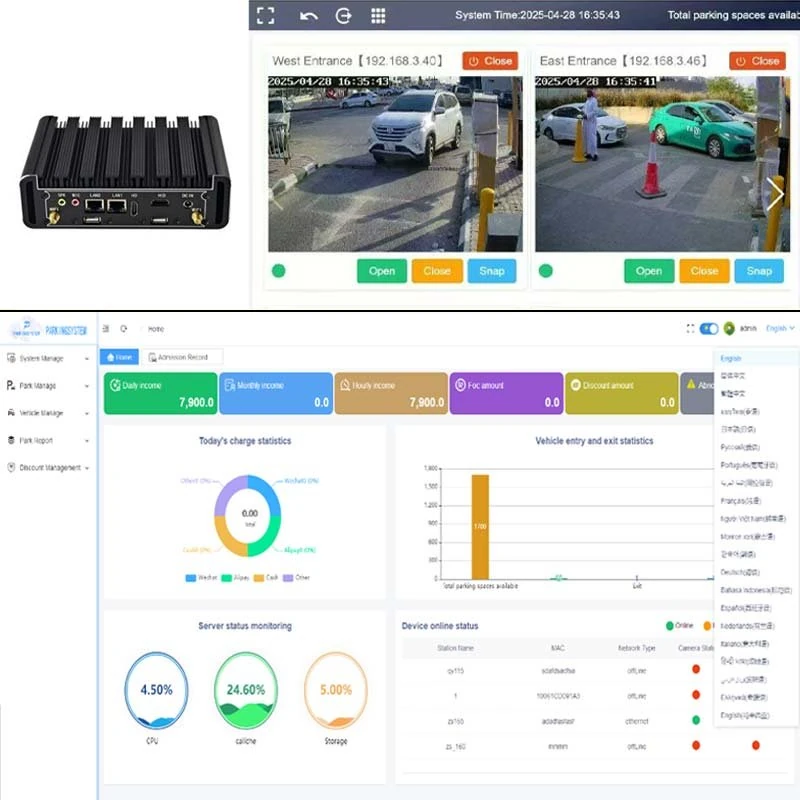
The software is where an LPR system becomes a parking solution rather than a plate-reading device. It connects the plate read to actual business rules, such as whitelist access, blacklist alerts, visitor approval, payment status, fee rules, session records, logs, and reports. It also coordinates how the camera, controller, and barrier gate respond in real time.
This is also the component that determines whether the system can expand later. A simple site may only need entry and exit records plus basic authorization, but larger projects often need monthly parking, hotel validation, apartment visitor workflows, office tenant permissions, ERP integration, or multi-site management. Software flexibility matters because parking rules almost always become more complex over time.
For a Shunjie project, confirm the selected software edition, licensing terms, included functions and supported devices before ordering. Ask for the SDK or protocol documentation applicable to the actual model and version. The existing support service discusses custom development, but neither a listed interface nor the words “secondary development” establish compatibility with every third-party platform.
Custom development may involve a property-management system, hotel platform, tenant database, visitor-reservation service or local fee rules. Specify which data must move, which system makes the decision, how authentication works and who supports the connection. Agree development scope and validation with the parties involved. A hardware lane may stay the same while software requirements change between projects.
Optional Components That Improve the Full Parking Experience
The four roles above explain the main workflow; they are not a complete installation specification. Power, networking, controllers, protective devices and suitable installation work must also be provided. Optional devices may include a cashier station, self-service payment terminal, driver display, parking-guidance screen or occupancy indicator, according to the operating model.
Parking guidance can be useful at larger sites. Occupancy sensors or suitable cameras supply space-status information to signs or a management platform. The guidance subsystem needs its own coverage plan and integration checks: a plate-reading camera at the entrance does not automatically identify the occupancy of individual parking spaces.
That means parking operators do not have to think only about entry and exit. In shopping malls, hospitals, airports, and multi-level garages, the best user experience often comes from combining access control with guidance, payment, and clear on-site display.
How the Main Components Work Together in Real Projects
In residential communities, the most important priorities are usually convenient authorized access, visitor management, and low daily manual work. In office parks, software permissions, monthly parking, and reporting often matter more. In commercial sites such as malls or mixed-use projects, payment rules, throughput, and parking guidance typically move higher on the priority list.
The key point is that the component list may look similar across projects, but the design priorities are different. A residential gate can fail because the visitor workflow is weak. A mall gate can fail because the payment and throughput logic is weak. A technically correct hardware package is not always a commercially correct parking solution.
Table 2. What buyers should check before choosing each component
| Component | What to verify before buying | Why it matters |
|---|---|---|
| LPR camera | Plate format support, low-light performance, installation distance, lane angle, embedded AI or server recognition | Directly affects recognition accuracy and project adaptability |
| Barrier gate | Opening speed, duty cycle, arm length, specified protective devices, power-loss response | Affects throughput and operation; protection depends on the complete installation |
| Loop detector | Number of loops, installation method, lane width, trigger logic, required detection-zone coverage | Affects capture timing, false triggers, and vehicle protection |
| Software | Whitelist/blacklist rules, fee settings, reports, local or cloud deployment, API or secondary development support | Affects future integration, customization, and long-term value |
Common Problems Buyers Should Avoid
One common mistake is over-focusing on recognition accuracy while underestimating installation conditions. Even a strong camera can struggle if the lane is too wide, the angle is poor, the lighting is harsh, or the plate is captured too late.
Another mistake is removing a detector without understanding its assigned role. Determine whether it triggers capture, holds a presence input or forms part of a specified protective arrangement. Any change needs review against the barrier documentation and the site’s risk assessment; detection of a car must not be presented as protection of pedestrians.
A third mistake is buying hardware first and thinking about software later. The software decides how visitor vehicles are approved, how long-stay vehicles are billed, how records are stored, and how exceptions are handled. If the software cannot match local rules, the project becomes difficult to operate even when the camera and gate are working.
Finally, some buyers choose the cheapest lane package without planning for integration or growth. That can create problems when the project later needs hotel validation, apartment resident lists, parking guidance, payment expansion, or secondary development.
How to Choose the Right LPR Parking System Components
Start with the site, not the product. Count the lanes, check whether the site is residential or public paid parking, estimate peak-hour traffic, and define whether the project needs simple access control or full parking management with charging and reporting. That step usually determines the real hardware and software requirements faster than comparing product brochures.
Then confirm four core points. Can the camera read the required local plate samples in the real environment? Can the barrier handle the specified traffic and installation conditions? Does the detection and protective arrangement match the approved design? Can the software apply the actual rules and handle exceptions, communication loss and recovery? Agree test cases and acceptance records before handover.
Evaluate the equipment as one coordinated system rather than as unrelated purchases. Shunjie can discuss equipment selection, configuration and integration requirements with distributors, contractors and project owners. Identify the local installation and integration responsibilities, the deliverables and the support scope in the quotation; do not assume they are all included with the hardware.
Final Thoughts
An LPR parking system combines capture, detection, decision-making and controlled lane movement. Selecting these parts together makes it possible to test the whole workflow, including a failed plate read, a refused entry and a communication interruption. Successful recognition alone does not prove that payment, barrier operation or protective functions work correctly.
For projects that may need future integration, the software deserves special attention. Hardware gets vehicles through the lane, but software determines whether the solution stays useful as parking rules, user types, and business requirements evolve.
Discuss Your LPR Project with Shunjie
To discuss an LPR parking project with Shunjie, prepare lane photographs, usable dimensions, traffic estimates, plate samples and the intended access or payment workflow. Include the existing equipment and software versions, required interfaces and destination. The team can then discuss the applicable configuration and quotation.
FAQ
What are the main components of an LPR parking system?
The four core components are the LPR camera, barrier gate, loop detector or vehicle detector, and parking management software. Optional components can include payment stations, LED displays, and parking-guidance devices.
Does an LPR parking system always need a loop detector?
Not always. The selected camera may support video triggering, and a project may use suitable alternative vehicle detectors. Capture triggering, vehicle presence and the required protective functions must each be specified and tested; removing a loop does not remove those requirements.
How does the barrier gate know when to open?
The camera reads the plate, the software checks the plate against access or payment rules, and the controller sends the open command to the barrier gate if the condition is met.
What affects license plate recognition accuracy the most?
Camera placement, lighting, lane design, vehicle speed, plate condition, and whether the system captures the image at the correct moment all affect recognition quality.
What does the software do besides reading plates?
It manages permissions, parking records, fee rules, reports, entry and exit logs, and integration with other systems. It is also the part that supports future customization.
Can ShunjieBarrier software support secondary development?
Discuss the selected model and software version with Shunjie. Request the applicable SDK or protocol documents and agree the development scope, licensing, compatibility checks and support responsibilities. This article does not establish that every edition is free or that all integrations are included.
Is LPR better than ticket parking?
LPR can reduce physical ticket handling, but it is not automatically better for every site. Consider unreadable or missing plates, visitors, payment exceptions, local requirements and the fallback workflow. Tickets, cards and plate recognition can also be combined when the system supports the required arrangement.
Which types of sites benefit most from LPR parking?
Residential communities, office parks, shopping centers, hospitals, hotels, gated garages, and mixed-use facilities are all common applications.
Discuss the equipment and integration requirements with Shunjie.