A parking payment kiosk is ready for a country only when its money handling, payment provider, user interface and parking software work together in the agreed configuration. Changing a currency symbol or translating the home screen does not establish that the machine can accept local payments, issue a usable receipt or mark the correct parking session as paid.
Before ordering, give the supplier a country configuration sheet and ask for evidence against it. Specify the installation country, charging currency, required cash denominations, local payment provider, languages and the system that owns each transaction. Separate features already demonstrated from options requiring another party or additional development.
This guide is for distributors, parking operators and integrators buying a pay-on-foot or parking payment kiosk for a particular market. It focuses on procurement and acceptance, rather than recommending one payment provider or promising that one machine works everywhere.
Start with one country configuration sheet
Use one agreed document for the equipment supplier, parking software integrator, local payment partner and operator. Keep the model and software versions on that document: a demonstration on a different reader, cash module or application is not enough to establish that the ordered combination works.
| Configuration item | What to specify | Evidence to request |
|---|---|---|
| Destination and operator | Country, city, installation setting and the business receiving payments. | Named parties responsible for equipment, merchant onboarding, installation and support. |
| Money and amounts | Tariff currency, transaction currency, amount precision and expected settlement arrangements. | The same parking charge traced from screen to payment record; settlement terms confirmed by the payment provider. |
| Cash, if required | Exact note and coin modules, currency configuration, accepted denominations and change requirements. | A denomination list and a demonstration using representative local notes and coins, including change shortage. |
| Cards and local methods | Each requested method, payment provider, reader model and integration version. | Provider confirmation of the proposed unattended use and a working transaction flow for that combination. |
| Languages and documents | Screen, payment-reader, help-message, receipt and operator-interface languages. | A complete walkthrough and actual printed or electronic receipt samples. |
| Parking-system connection | Which system creates the charge, confirms payment and decides whether a session may exit. | Linked parking-order and payment references in both systems, with agreed exception handling. |
| Operations and handover | Refund authority, outage policy, reconciliation, replenishment and maintenance responsibilities. | Named owners, test results and a documented support route. |
A useful supplier response says what configuration was demonstrated, what evidence exists and who owns the remaining work. “Customizable,” “multi-currency” and a row of payment logos are starting points for questions, not completed acceptance records.
Separate currency settings from cash acceptance and change
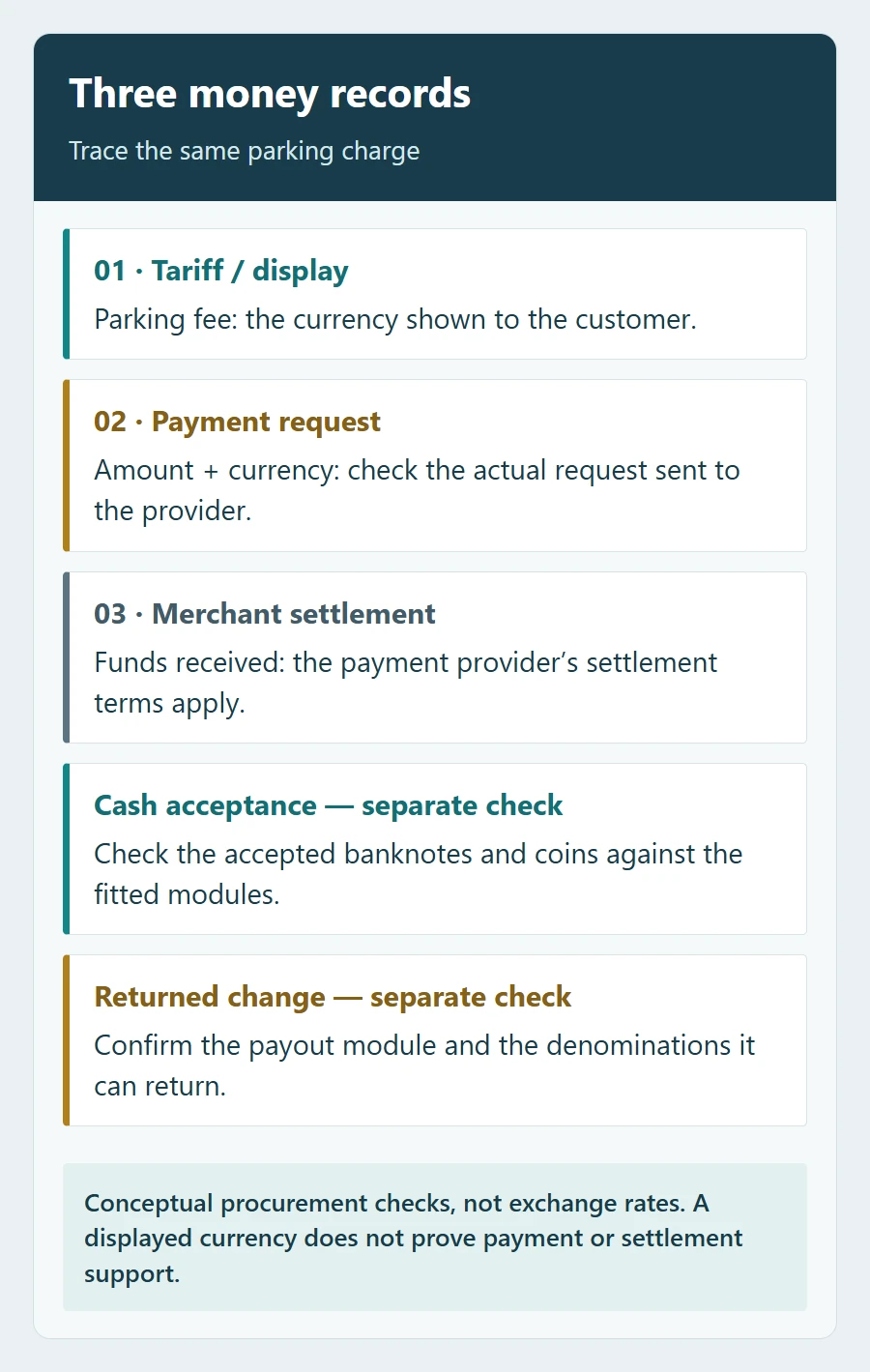
First distinguish three things: the currency used to calculate the parking fee, the amount and currency actually sent for payment, and the currency in which the operator receives settlement. Ask the payment provider to explain any conversion or settlement conditions. Do not treat a configurable currency symbol on the kiosk as proof of all three.
Check amount precision through the whole flow. Test a representative low parking fee and a fee containing a fractional amount where the currency uses one. Compare the displayed amount, the provider request, the payment result and the receipt. The team should agree how amounts are represented and rounded before live use.
For a cash-equipped kiosk, request two separate lists: what it accepts and what it can return as change. Identify the exact modules and currency configuration, including the applicable dataset or firmware version where relevant. A banknote acceptor does not by itself establish that the kiosk can return banknotes; the ordered payout hardware and its configuration determine that capability.
Demonstrate a normal cash payment, an unsupported denomination and insufficient change. Agree whether the machine stops accepting a method, offers another method or calls for help when it cannot complete the transaction. Confirm who replenishes change and how the operator sees an approaching shortage. These are configuration and service questions; deciding whether to offer cash at all is a separate business decision.
Confirm the local payment route before fixing the hardware
Give the supplier the name of the local acquiring bank or payment provider as early as possible. Ask who will hold the merchant account, obtain the reader and arrange its activation. Then confirm the exact unattended reader, interface and software combination before finalizing the enclosure, mounting, cabling and network design.
Country availability is provider-specific. For example, Stripe Terminal’s regional guidance states that the account receiving funds and the reader’s associated location must be in the same country, with local-currency acceptance. This is an example of one provider’s conditions, not a rule to apply to every provider or a claim that SHUNJIE supports Stripe Terminal.
For each requested card, wallet or QR method, record:
- The local provider and merchant-account owner.
- The exact reader or payment route, interface and software version.
- Whether support is already demonstrated, configurable, dependent on a third party or still requires development.
- Who confirms a successful payment and how that confirmation reaches the parking software.
- Who handles a refund, an uncertain result and a support request after installation.
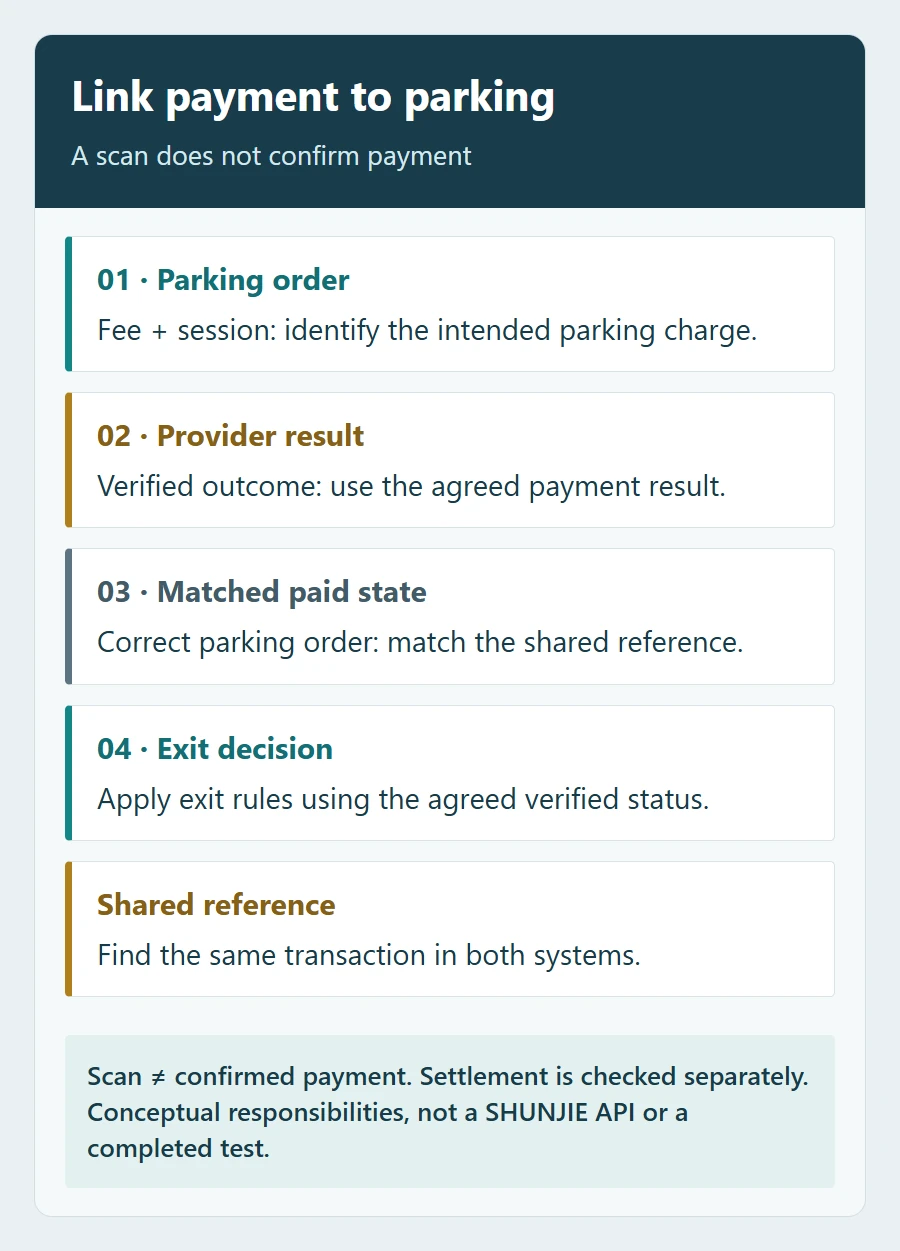
“QR supported” needs an explanation. A scanner that reads an identification code, a screen that presents a payment code and a parking application that receives a verified payment result perform different jobs. Ask the team to demonstrate the required flow. A scan, a customer screenshot or a success page alone should not be used as the evidence that marks the parking fee as paid. Use the agreed, verifiable provider result linked to the correct parking order.
Test the whole language journey, including the receipt
List the languages needed on the kiosk screen, the payment reader, the receipt and the operator’s interface separately. A translated kiosk home screen says little about a reader’s payment prompts or a printer’s ability to reproduce the required characters.
Walk through session lookup, fee explanation, payment selection, cancellation, timeout, failure, help and confirmation in every required public language. Check accents, fonts, line breaks and text direction where relevant. For a pay-by-plate flow, test the expected plate-entry characters and input behaviour as part of the interface review; this does not establish camera recognition capability.
Printed and electronic receipts need their own review. Adyen’s receipt documentation, for example, describes receipt-language settings, character encoding and fallback behaviour. It illustrates why the reader, application and receipt should be checked separately; it does not establish support for an Adyen configuration on a SHUNJIE kiosk.
Inspect real samples for the amount, currency, date/time, business details and transaction reference required by the project and provider. Ask the local operator or adviser to confirm any tax-document requirements separately. Do not assume that a translated payment receipt is the tax document the local operation needs.
Agree who owns the payment result and the parking record
The parking application must associate a payment with the intended parking charge. During the demonstration, trace one order from fee calculation to the provider’s result, the paid state in the parking application and the agreed exit decision. Keep the references needed to find the same transaction in both systems.
Define which provider state counts as payment completion in this project. A card authorization reserves funds; authorization and capture are separate concepts, and neither should be confused with later bank settlement. Where a payment method and provider support separate authorization and capture, agree who captures, when, and which verified state permits exit. A queued request is not a substitute for that state. Keep the exit decision separate from the later settlement check.
If the project uses licence plates to identify sessions, compare the payment workflow with the site’s ticketless parking deployment. The payment integration must fit that session model; installing a compatible-looking reader does not resolve a missing or wrongly selected parking session.
Allocate responsibilities before delivery:
- Equipment supplier: the ordered kiosk, fitted modules, supported interfaces and relevant configuration documentation.
- Payment provider or local acquiring partner: merchant onboarding, approved payment setup, transaction status, settlement and payment-side support.
- Parking integrator: charge creation, session matching, paid-state updates, exit conditions and integration logs.
- Operator: refund permissions, customer assistance, reconciliation, cash servicing where used and the local operating policy.
One business may perform several roles, but each task still needs an owner. Confirm which system initiates a refund, who may authorize it and how it remains linked to the original payment and parking order. Ask what staff should do when a customer reports being charged but the kiosk has not received a final result; do not make a second payment the default response to an uncertain first one.
Define outages precisely. Loss of the internet, loss of the local network and loss of power are different situations. If offline card acceptance is proposed, obtain the provider’s conditions, risk ownership and recovery procedure. An offline parking record is not proof of payment authorization or settlement. The contract should state what continues, what stops and how pending transactions are checked after recovery.
Require factory, site and settlement evidence
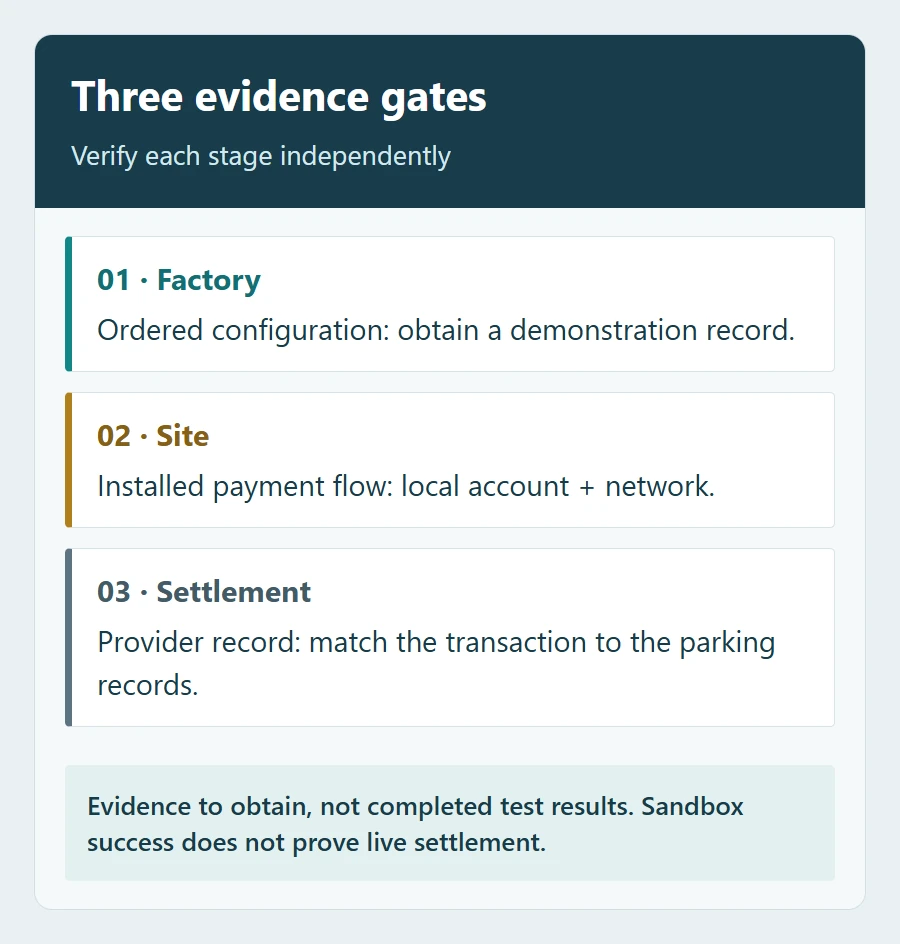
Use three distinct acceptance records. A factory demonstration checks the ordered configuration and integration behaviour. A site test checks the installed network, modules, account setup and driver journey. A settlement check confirms that the operator can reconcile a permitted live transaction under the provider’s agreed schedule. A sandbox result alone cannot establish live settlement.
| Test to include | What the buyer should be able to verify |
|---|---|
| Normal payment | The fee and currency agree across kiosk, provider and parking order; only the correct session is marked paid. |
| Cancelled or declined payment | The kiosk gives a clear message and follows the agreed unpaid-session policy without claiming success. |
| Delayed or uncertain result | Staff can locate the transaction and check its status before collecting again or granting an exception. |
| Repeated result notification | The same payment is not applied twice to the order; the parking system retains a traceable record. |
| Local cash, if fitted | Required denominations, unsupported denominations and insufficient-change behaviour match the agreed configuration. |
| Language and receipt | The full customer journey and actual receipt are readable in the required languages, including error and help messages. |
| Outage and recovery | The specified internet or network-loss case follows the agreed policy and pending transactions can be identified afterwards. |
| Refund and reconciliation | An authorized refund can be traced to the original transaction; the operator can match the provider record to the parking order. |
Where the local provider permits it, include a controlled live payment using the intended merchant account. Have the operator confirm the resulting provider and settlement records at the appropriate time. Record the device/module models, application versions, account environment, test conditions and the person responsible for resolving any failed item. Do not sign off a different configuration as if it were the delivered one.
Copy this country brief into your enquiry
The fields below are a buyer worksheet for your team to complete. They help the supplier quote the intended configuration rather than an unspecified “international” machine.
Installation country and city:
Parking operator / merchant-account owner:
Tariff currency and amount precision:
Payment provider or local acquiring partner:
Required card, wallet and QR methods:
Cash required? Accepted notes and coins:
Change required? Expected payout denominations:
Screen, payment-reader and receipt languages:
Existing parking platform and session identifier:
Required refund, outage and reconciliation workflow:
Factory / site / live-payment acceptance responsibilities:
Request a response showing the proposed model and module versions, demonstrated functions, third-party requirements and work that needs development. Include samples of the desired screens or receipts where available, without sending customers’ card details or other unnecessary personal data.
To discuss a SHUNJIE multi-channel payment station, send this country brief with your parking workflow and any existing provider or software details. Ask SHUNJIE to confirm the exact equipment and integration scope for that project, together with the demonstrations needed before shipment and local launch.
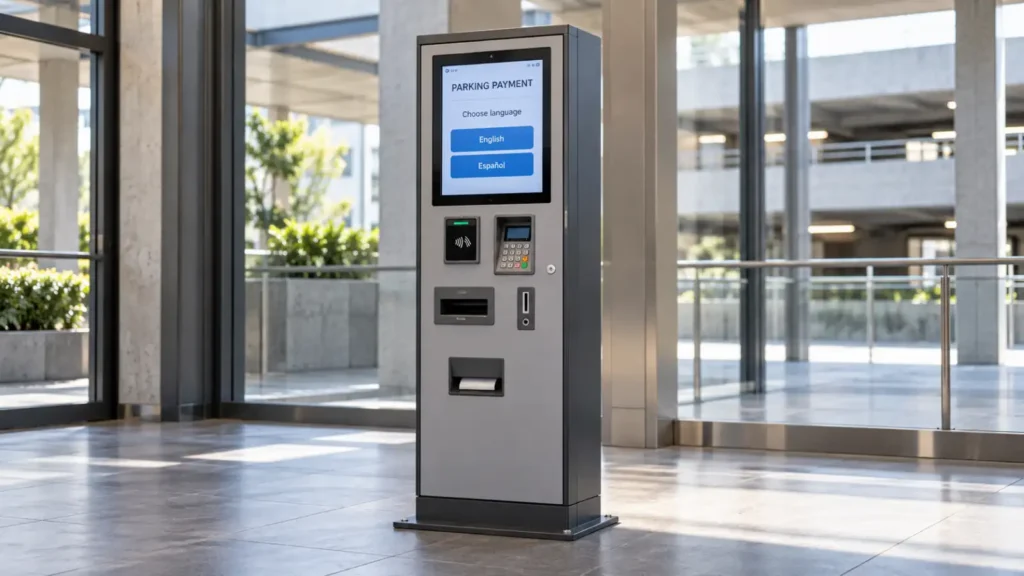
Featured image: AI-generated generic kiosk concept with illustrative screen-language labels. Not a SHUNJIE model, completed installation or tested payment integration.
Featured image: AI-generated generic kiosk concept with illustrative screen-language labels. Not a SHUNJIE model, completed installation or tested payment integration.