Lane & device configuration
- Minimum configuration supports 3 entry lanes + 3 exit lanes.
- Specify the actual lanes and connected LPR, card, ticket or payment equipment.

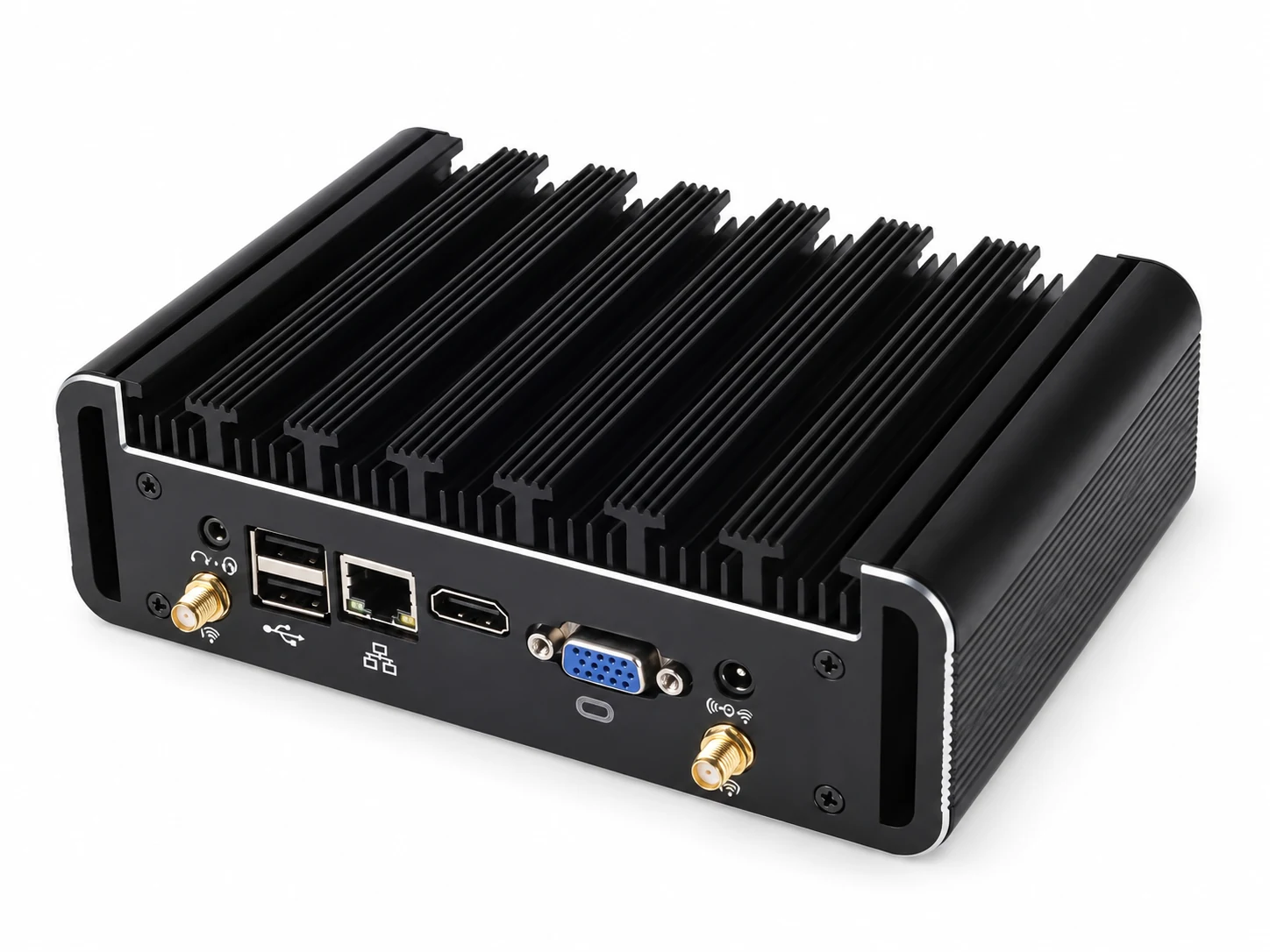
Parking management
Manage parking lanes and access devices through a browser on the local network, using a compact fanless Linux appliance.
Technical information
| Parameter | Specification |
|---|---|
| Architecture | Browser/server (B/S) |
| Default OS | Linux |
| Access | Web browser on the local network |
| Minimum configuration lane support | 3 entry lanes + 3 exit lanesSpecify the required lane count for the selected system configuration. |
| Parameter | Specification |
|---|---|
| Integration scope | License plate recognition, card readers, paper tickets, self-service payment kiosks |
| Branding | Customizable logo |
| Parameter | Specification |
|---|---|
| Parking software languages | English, French, Japanese, Thai, Russian, Portuguese, Arabic, Traditional Chinese, Simplified Chinese, Vietnamese, Spanish, Italian, Indonesian, Mongolian, German, Korean, Dutch and more |
| Parameter | Specification |
|---|---|
| Cooling | Aluminum-alloy enclosure; fanless |
| Power adapter | AC 110–220 V input; DC 19 V / 12 V output configurations |
| Operating temperature | -40 to +80 °C |
| Parameter | Specification |
|---|---|
| Dimensions | 130 × 175 × 55 mm |
| Weight | 1.5 kg net / 1.9 kg gross |
Installation & resources
Install the host on the site network and map each entry, exit and access device.
Enquire about Parking management appliance
Share the quantity, destination and any configuration you need. Our team will help you confirm the equipment for your order.
Shunjie · Entrance control manufacturer